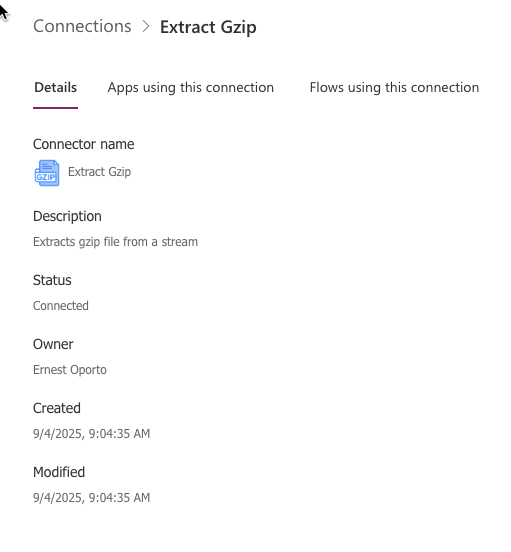
For the longest time I’ve been looking for an automated way to extract DMARC reports, which come in gz format, within our Microsoft infrastructure. Power Automate does a nice job of grabbing the files and putting them in various places. The blocker in this was that Microsoft Power Automate does not have a step for extracting gz files, so I still had a manual step that was tied to a script running on a certain workstation. The answer was in this post using Power Apps.
https://medium.com/@vandanrohatgi/extract-gzip-files-with-power-automate-0387cf3ca0e3
However the C# code gave me a few error messages, and I am not familiar with C#. Enter ChatGPT. This is my working code:
using System;
using System.IO;
using System.IO.Compression;
using System.Net;
using System.Net.Http;
using System.Text;
using System.Threading.Tasks;
using Newtonsoft.Json.Linq;

public class Script : ScriptBase
{
  public override async Task<HttpResponseMessage> ExecuteAsync()
  {
    // Read body
    string contentAsString = await this.Context.Request.Content
      .ReadAsStringAsync().ConfigureAwait(false);

    // Parse JSON
    JObject contentAsJson;
    try
    {
      contentAsJson = JObject.Parse(contentAsString);
    }
    catch (Exception ex)
    {
      return Error(HttpStatusCode.BadRequest, $"Invalid JSON: {ex.Message}");
    }

    // Extract base64 "file"
    string fileBase64 = contentAsJson.Value<string>("file");
    if (string.IsNullOrEmpty(fileBase64))
      return Error(HttpStatusCode.BadRequest, "Missing 'file' property.");

    // Base64 decode
    byte[] data;
    try
    {
      data = Convert.FromBase64String(fileBase64);
    }
    catch (FormatException ex)
    {
      return Error(HttpStatusCode.BadRequest, $"Invalid base64: {ex.Message}");
    }

    // GZip decompress
    string decompressedData;
    try
    {
      decompressedData = DecompressGzip(data);
    }
    catch (Exception ex)
    {
      return Error(HttpStatusCode.BadRequest, $"GZip decompress failed: {ex.Message}");
    }

    // Build OK response
    var payload = new JObject { ["gzipBody"] = decompressedData };
    var response = new HttpResponseMessage(HttpStatusCode.OK)
    {
      Content = CreateJsonContent(payload.ToString())
    };
    return response;
  }

  private static string DecompressGzip(byte[] compressedData)
  {
    using (var compressedStream = new MemoryStream(compressedData))
    using (var gzipStream = new GZipStream(compressedStream, CompressionMode.Decompress))
    using (var decompressedStream = new MemoryStream())
    {
      gzipStream.CopyTo(decompressedStream);
      return Encoding.UTF8.GetString(decompressedStream.ToArray());
    }
  }

  private HttpResponseMessage Error(HttpStatusCode status, string message)
  {
    var body = new JObject { ["error"] = message };
    var resp = new HttpResponseMessage(status)
    {
      Content = CreateJsonContent(body.ToString())
    };
    return resp;
  }
}
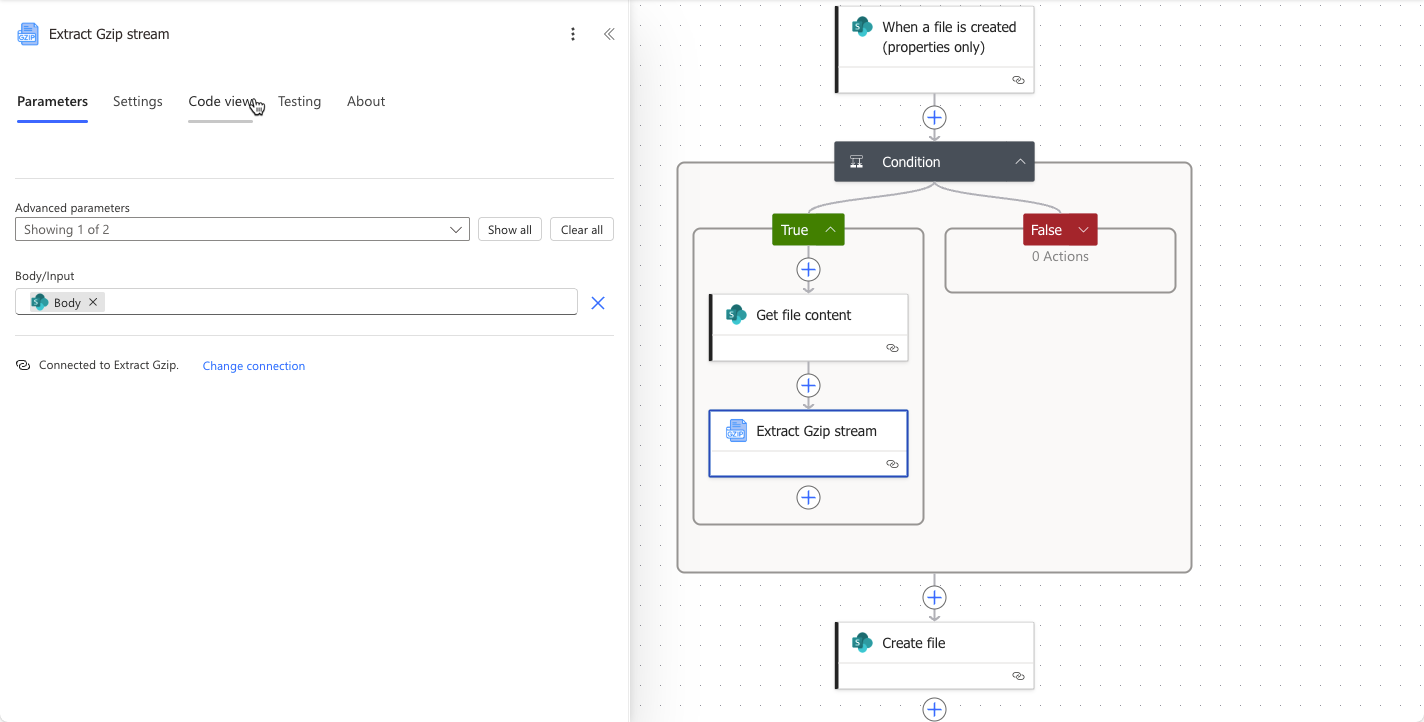
It’s a very simple method, and it doesn’t cost anything, although there seems to be a 750 flow limit per month.


 Playing with Sharp Objects.